A booking link that keeps working when you are not.
Let clients book through your Barelae booking flow, with automatic email confirmations and reminders on every plan and an optional card on file with Pro, while the appointment lands inside the same system you use for client records, formulas and your day-to-day schedule.
Free to start, no credit card required. Upgrade to Pro when you are ready.
Booking should start the workflow, not create another one.
Barelae is designed so the appointment becomes the beginning of the client record and service process—not another item you have to move between systems.
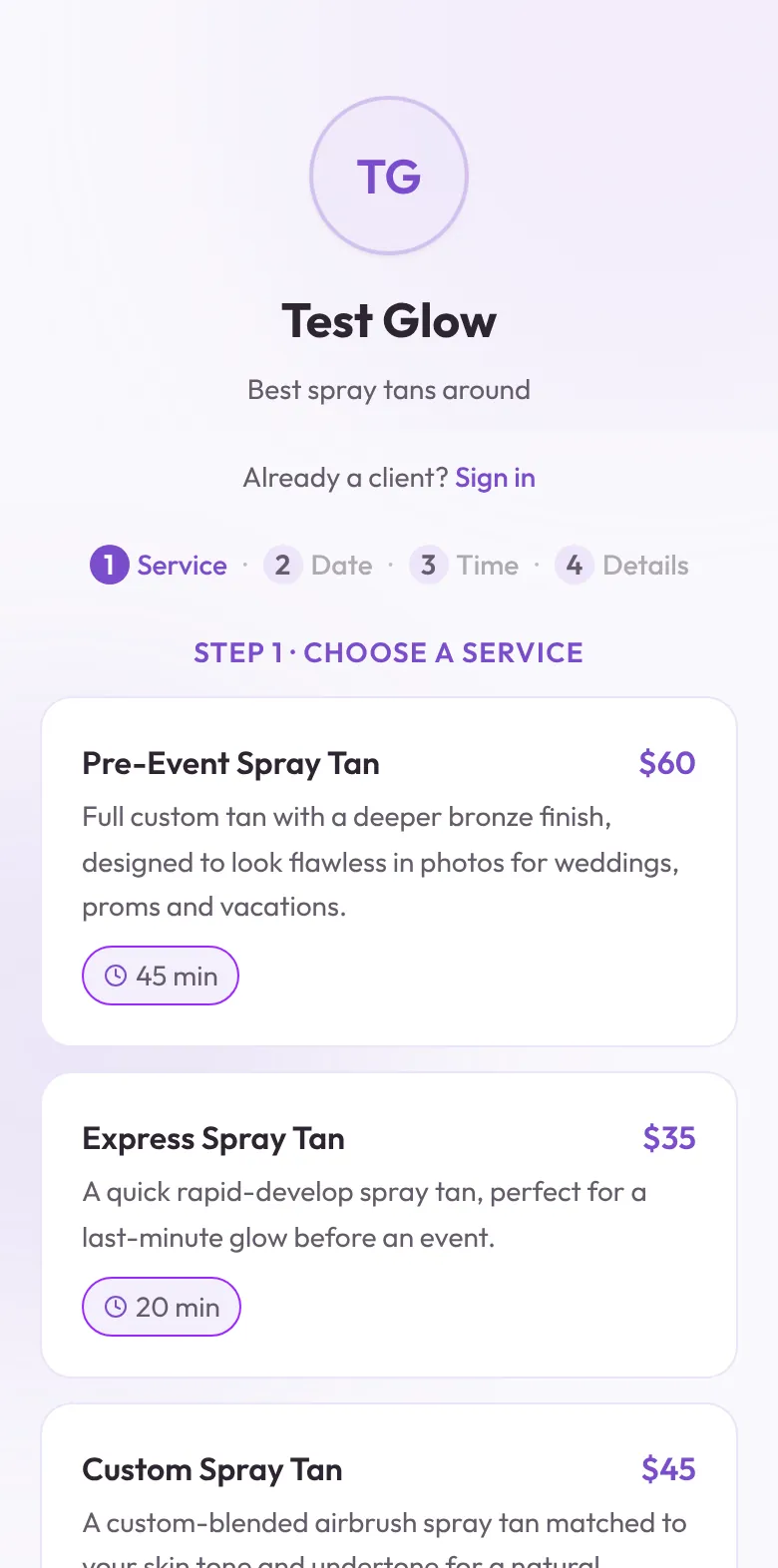
Let clients choose a service and get on your calendar.
Your public booking flow gives clients a direct way to reserve an appointment without waiting for you to stop spraying, answer a text and manually add it later.
A card on file and a no-show policy, agreed before they book.
Turn on card-required booking and clients securely save a card with Stripe before the appointment is confirmed. You set your own no-show and late-cancellation fees, and clients accept your policy as part of booking, not after a missed appointment.
Custom spray tan · Saturday · 10:30 AM
Appointment reminders go out by email, so you do not have to send them.
Barelae emails clients a booking confirmation and an appointment reminder before the visit, on the timing you choose. Each email includes the date, time and service. Online booking and appointment emails are included on the free Basic plan.
Hi Jessica, this is a friendly reminder about your upcoming custom spray tan.
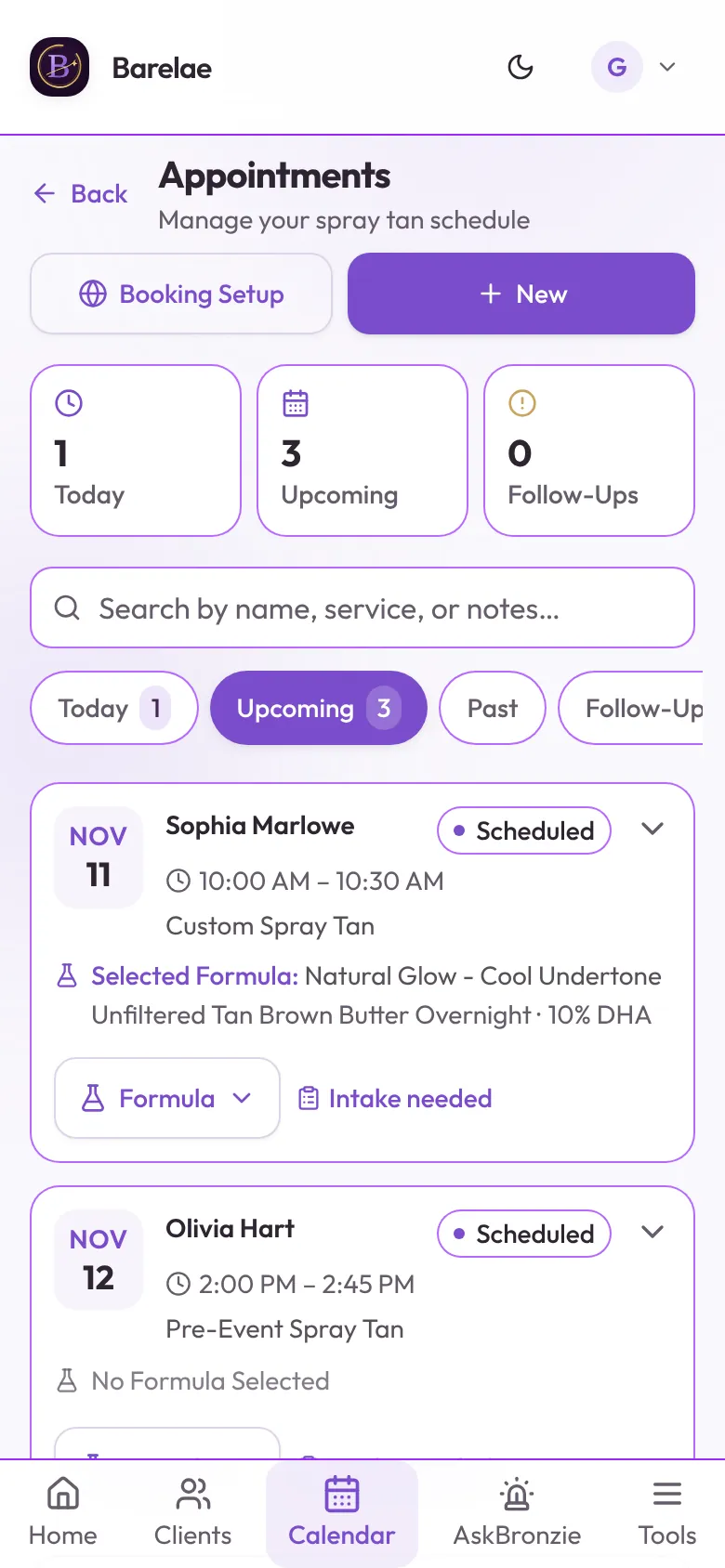
The booking appears where you already run your day.
Public bookings and artist-created appointments live in Barelae’s appointment workflow, so you are not reconciling a booking widget against a separate calendar.
The appointment is only the beginning.
Once the client is booked, Barelae can support the service-specific work that generic calendars do not: intake, assessments, formulas, photos, notes and prior-result history.
Last formula, undertone, prior result and appointment history can be ready before the client walks in.
Questions before you switch.
The booking experience should be simple for the client and connected for the artist.
Do clients need a Barelae account to book?
The public booking flow is designed for clients to access the artist’s booking experience without using the artist dashboard.
Do public bookings show in Barelae automatically?
Yes. Public bookings feed the Barelae appointment workflow so you do not need to manually recreate the appointment.
Can Barelae sync appointments to Google Calendar?
Yes. With Pro, solo artists can connect one-way Google Calendar sync. Barelae-created appointments and public bookings sync automatically, and edits/cancellations update the connected Google event.
Can I require a card on file to book?
Yes. On Pro, with Stripe payments connected, you can require a card to book. Clients securely save a card with Stripe before the appointment is confirmed. The card is not charged at booking, and Barelae never stores the full card number.
Can I set a no-show or late-cancellation fee?
Yes. Choose no fee, a flat dollar amount, a percentage of the service price or the full service price for each. Clients see your policy, accept it and authorize charges to their saved card before the booking is confirmed. Barelae keeps a copy of the policy they accepted with the appointment.
Does Barelae send appointment reminders?
Yes, by email. Clients get a booking confirmation email and a reminder email before the appointment, 24 hours before by default, plus an optional second reminder. Text message (SMS) reminders are not available yet.
Give clients a way to book. Give yourself a system that remembers the rest.
Start with Barelae and keep the appointment connected to the client and the service.